AI images with FLUX — models, capabilities and examples
What FLUX is
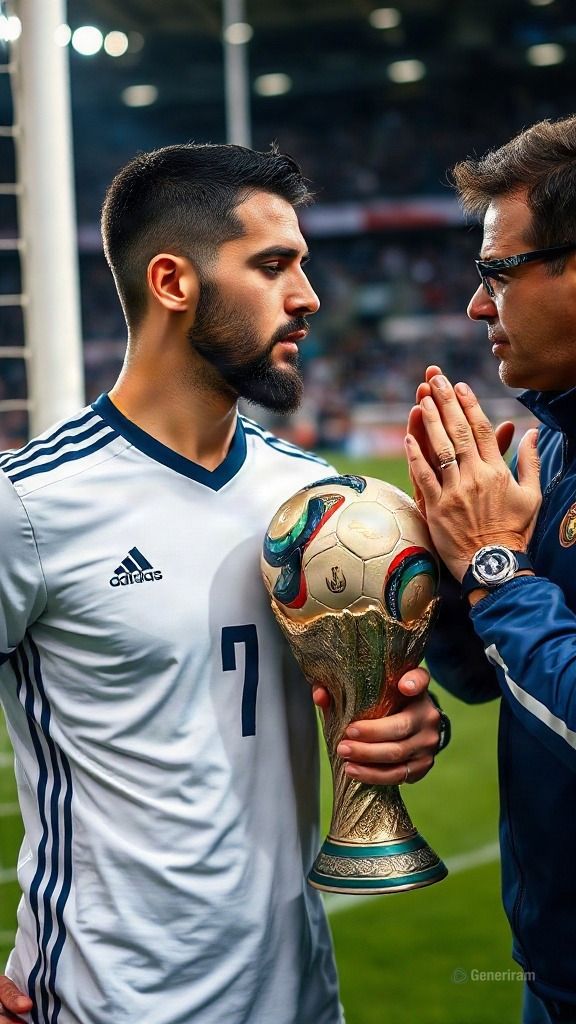
FLUX is a family of modern models for generating images with artificial intelligence. From a text description (a prompt), FLUX creates completely new pictures — from photorealistic shots to illustrations, concept art and graphic design. Besides generating from scratch, some FLUX variants can also edit an already existing image according to given instructions.
Behind FLUX stands the company Black Forest Labs — a team from Germany founded by researchers who previously stood behind Stable Diffusion and the technology of latent diffusion models. It is precisely that expertise that makes FLUX one of the most recognisable and respected projects in the field of generative images.
The FLUX models are used by designers, marketers, content creators and hobbyists to quickly create visuals — ads, social media posts, product visions, avatars, backgrounds and much more. On genkiki.com you can use them straight in your browser, with no complicated setup.
Versions and options on generiram
On generiram there are several FLUX variants available, covering both creating an image from text and editing a photo. Here they are and what each mode does:
Variant
Mode
What it does
FLUX.2
Text to image
Generates a new image from a text description with a model from the newer FLUX generation.
FLUX 2 Pro
Text to image
The Pro version of FLUX.2 for creating images with high detail and precise adherence to the prompt.
FLUX 2 Pro
Image editing
Changes an existing image according to instructions — adding, removing or altering elements, without creating everything from scratch.
FLUX.1 Schnell
Text to image
The fast variant from the first FLUX generation for lightning-quick generation of images from text.
Text to image
The “text to image” mode is the main way of working with FLUX. You describe what you want to see — scene, style, composition, mood — and the model draws the image for you. FLUX.2 and FLUX 2 Pro give richer detail, while FLUX.1 Schnell (German for “fast”) is aimed at speed, when you need a quick result or many variants one after another.
Image editing
The “image editing” mode lets you upload a finished image and change it through a text instruction — for example to swap the background, add or remove an object, or correct a particular detail. That way you keep the base of the photo and change only what you want.
Strengths
Precise adherence to the prompt. FLUX is known for following the description accurately — including the number of objects, their placement and the style.
Good handling of text in the image. Unlike many older models, FLUX is more confident at spelling out words and captions on the picture.
High quality and detail. The results look clean and realistic, with good anatomy and natural lighting.
Flexibility of styles. From photorealism to illustration, 3D render and minimalism — one family of models covers a wide spectrum.
Different variants for different needs. A fast mode for speed and a Pro mode for maximum quality.
What it is good for
Ads and visuals for social media.
Product and advertising visuals.
Illustrations for blogs, articles and presentations.
Concept art, mood boards and idea sketches.
Avatars, portraits and profile pictures.
Backgrounds, banners and graphic elements for websites.
Editing existing photos — swapping the background, adding or removing elements.
How to start
Open the genkiki.com AI Studio, choose the “text to image” or “image editing” mode and pick a model from the FLUX family. Describe as clearly as you can what you want to get — object, style, mood and composition — and start the generation. For a fast result try FLUX.1 Schnell, and for maximum detail — FLUX 2 Pro. Everything works straight in the browser, with no installation.
The FLUX models — in detail
Which one is good for what, where it falls short and what it shouldn't be used for.
FLUX.1 Schnell
text→photo
Aspect ratios: 1:1, 9:16, 16:9Price: 7 credits
Strong at
Built for SPEED: produces an image in 1 to 4 steps, often in under a second — up to ten times faster than standard models
12 billion parameters — a serious model, not a toy
Permissive license: the result is yours, including for commercial use
Cheap for lots of attempts at once
Weak at
Качеството отстъпва на професионалните нива на семейството
Текст в картинката не му се получава
Дребният детайл се губи — скоростта се плаща с прецизност
Слаб при сложна сцена с много условия
Надписите на кирилица излизат с объркани или липсващи букви, не е надежден за текст на български
Don't use it for
Не го ползвай за краен кадър при клиент
Не го ползвай за надпис в снимката
Не го ползвай за сложна композиция с много елементи
Не го ползвай за надписи на кирилица, например текст на български
Typical tasks
Lots of quick idea tests
Finding the composition
Small illustration for the web
Draft before the heavy generation
FLUX.2 Pro
photo→photo
Aspect ratios: 1:1, 9:16, 16:9Price: 60 credits
Strong at
Edits up to 4 megapixels — the size stays print-ready
Accepts up to 10 reference photos and blends them into the edit
Strongest at MATERIAL: swapping fabric, leather or a surface comes out convincing
Keeps the original's lighting while changing the content
Weak at
Типографията при редакция е под специализираните — сложен надпис иска опити
По-бавен от бързите
При силна промяна лицето може да се измести
Надписите на кирилица излизат с объркани или липсващи букви, не е надежден за текст на български
Don't use it for
Не го ползвай за смяна на дълъг надпис
Не го ползвай за бърза серия проби
Не искай от него собствен художествен почерк
Не го ползвай за надписи на кирилица, например текст на български
Typical tasks
Change the material or surface in a product photo
Edit for print up to 4 megapixels
Merge several references into one image
Change the background while keeping the lighting
FLUX.2 Pro
text→photo
Aspect ratios: 1:1, 9:16, 16:9Price: 60 credits
Strong at
Up to 4-megapixel output — about 2048×2048, ready for most print needs
Accepts up to 10 reference photos and blends them into one new image
Strongest at MATERIAL: skin, fabric, hair, hands and light come out convincing
A large vision-language model sits underneath — it understands the world, not just the words, so it gets how objects relate
Typography now works: complex text comes out right on the first try in about six out of ten attempts
Weak at
Четири от десет сложни надписа искат втори опит — под точността на специализираните за текст
По-скъп и по-бавен от бързите варианти на семейството
Стилово по-неутрален — не носи собствен характер като художествените модели
Дългите описания го натоварват повече от най-послушните
Надписите на кирилица излизат с объркани или липсващи букви, не е надежден за текст на български
Don't use it for
Не го ползвай, когато надписът трябва да е верен от първия път — там има по-точни
Не го ползвай за десет проби подред — направи ги на бързото ниво
Не очаквай от него собствен художествен почерк
Не го ползвай за надписи на кирилица, например текст на български
Typical tasks
Product photo where the material has to look real
Portrait with real skin and hair
Composition from several reference photos
Image for print up to 4 megapixels
Ad with text where there's time for a second try
FLUX.2 Dev
text→photo
Aspect ratios: 1:1, 9:16, 16:9Price: 27 credits
Strong at
The same engine at an affordable tier — material and light stay strong
Accepts reference photos and blends them
Good price–quality ratio for everyday work
Faster than the professional version
Weak at
По-нисък детайл и по-малка големина от професионалното ниво
Типографията отстъпва — сложен надпис иска повече опити
При сложна сцена подредбата се разминава по-често
Надписите на кирилица излизат с объркани или липсващи букви, не е надежден за текст на български
Don't use it for
Не го ползвай за краен кадър за печат
Не го ползвай за плакат с точен надпис
Не го ползвай, когато сцената е много сложна
Не го ползвай за надписи на кирилица, например текст на български
Typical tasks
Everyday image task
Test before the professional tier
Web illustration with good material rendering
Reference-based composition at an affordable price
FLUX.2 Dev
photo→photo
Aspect ratios: 1:1, 9:16, 16:9Price: 24 credits
Strong at
Редакция по указание с до 4 качени снимки
Следване на промпта: от свободно до дума по дума
Подобряване на промпта по избор
До 4 резултата наведнъж
Код за повторение и изход JPEG, PNG или WEBP
Weak at
Размерът е до около 1 мегапиксел
Всяка качена снимка се плаща по размера си
Без отрицателен промпт
Don't use it for
Не качвай повече от 4 снимки
Не го ползвай, когато ти трябва 2K или 4K
Не слагай „Максимално“, ако искаш естествен резултат
Typical tasks
Смяна на фон или обстановка
Съчетаване на продукт и сцена от няколко снимки
Нов стил върху готова снимка
Добавяне или махане на предмети
Frequently asked questions about FLUX
How much does one generation with FLUX cost?
You pay with credits and the price depends on the model: FLUX.1 Schnell — 7 credits; FLUX.2 Pro — 60 credits; FLUX.2 Pro — 60 credits; FLUX.2 Dev — 27 credits; FLUX.2 Dev — 24 credits. The exact price is shown before you start the generation.
What are the limitations of FLUX?
Here is what each model supports: FLUX.1 Schnell — aspect ratios 1:1, 9:16, 16:9; FLUX.2 Pro — aspect ratios 1:1, 9:16, 16:9; FLUX.2 Pro — aspect ratios 1:1, 9:16, 16:9; FLUX.2 Dev — aspect ratios 1:1, 9:16, 16:9; FLUX.2 Dev — aspect ratios 1:1, 9:16, 16:9.
What is FLUX best for?
Strengths by model: FLUX.1 Schnell — Built for SPEED: produces an image in 1 to 4 steps, often in under a second — up to ten times faster than standard models, 12 billion parameters — a serious model, not a toy, Permissive license: the result is yours, including for commercial use; FLUX.2 Pro — Edits up to 4 megapixels — the size stays print-ready, Accepts up to 10 reference photos and blends them into the edit, Strongest at MATERIAL: swapping fabric, leather or a surface comes out convincing; FLUX.2 Pro — Up to 4-megapixel output — about 2048×2048, ready for most print needs, Accepts up to 10 reference photos and blends them into one new image, Strongest at MATERIAL: skin, fabric, hair, hands and light come out convincing.
FLUX vs the other models
Head to head: price in credits, maximum length, resolutions — and where each of the two falls short.