
AI video with Kling — all the models, modes and examples

What Kling is

Kling is a family of generative video models developed by Kuaishou (快手) — a large Chinese technology company known for its short-video platform. Kling turns a text description, a starting image or an existing video into a new clip with motion, aiming for realistic dynamics, natural behaviour of the objects and good consistency between the frames.

Among AI video models Kling has established itself as one of the strongest choices precisely because of the quality of its motion and its rich set of modes. That makes it a good fit both for content creators and marketing teams and for designers and hobbyists who want to bring an idea to life without a camera, actors and editing.

On genkiki.com Kling is available in the widest range of versions and modes of all the video brands — from fast standard variants to 4K and specialised modes for motion control, editing and lip sync.

Versions and options on generiram

Kling comes in several generations and specialised lines. Below are the main groups, so you can pick the right variant for the task.

VariantModeWhat it is for
Kling 2.1 / 2.1 MasterImage to video, Text to videoA proven generation — a reliable balance between quality and speed
Kling 3.0 StandardImage to video, Text to videoThe new generation in standard quality for everyday work
Kling 3.0 ProImage to video, Text to videoHigher quality and more detail from generation 3.0
Kling V3 4K / O3 4KImage to video, Text to videoHigh-resolution variants for the sharpest, most detailed result
Kling 2.6 / 3.0 / 3.0 Pro Motion ControlVideo to videoTransfers motion onto a new scene — control over the dynamics
Kling O1 Edit / O3 Edit ProVideo to videoEditing and reworking an existing video
Kling O3 Reference (Pro / Standard)Video to videoGuides the generation by reference material
Kling Lip-syncReference → videoSyncs the lips to speech or audio

Text to video

You describe the scene in words — character, setting, action, camera movement, mood — and Kling creates a video from the description. This suits you when you are starting from an idea rather than from finished visual material.

Image to video

You supply a starting image and Kling brings it to life in motion, keeping the composition and the look of the photo while adding dynamics to the objects, the camera and the environment.

Video to video (Motion Control, Edit, Reference)

These modes work on an existing video — to transfer motion onto a new scene, edit the footage or guide the generation by reference material. They give you finer control when you already have a source clip.

Lip-sync

Kling Lip-sync matches the movement of the lips to speech or audio, which is useful for talking characters, avatars and dubbing.

Strengths

  • Realistic and smooth motion — one of Kling’s strongest points.
  • The richest choice of modes among the video brands: text, image, video, reference, lip sync.
  • High-resolution variants (the 4K lines) for a sharp, detailed result.
  • A flexible balance between speed and quality through the Standard, Pro and 4K variants.
  • Specialised modes for motion control and editing — a rarity among the competitors.

What it is good for

  • Short videos for social media — TikTok, Instagram, YouTube Shorts.
  • Ads, promo clips and product visuals.
  • Bringing photos, illustrations and product shots to life.
  • Talking characters and avatars through lip sync.
  • Precise reworking of existing clips through the editing and motion control modes.

How to start

Open the genkiki.com AI Studio, pick the right Kling variant for your task and the mode — text to video, image to video, video to video or reference. Describe the scene or upload your source material and start the generation. If you are not sure where to begin, start with a standard variant as a test, and move to the Pro or 4K line for the final result.

The Kling models — in detail

Which one is good for what, where it falls short and what it shouldn't be used for.

Kling 2.1

photovideo
Aspect ratios: 1:1, 9:16, 16:9 Lengths: 5 sec, 10 sec Price: 113 credits

Strong at

  • The entry level for video — the most affordable path from a photo to a moving shot
  • Calm, stable motion without distortion
  • Predictable: rarely surprises you with something broken
  • Fast and cheap for first attempts

Weak at

  • Clips are up to 5 seconds
  • Previous generation — physics noticeably lags behind the new ones
  • No sound
  • Fine detail gets lost

Don't use it for

  • Don't use it for a final shot that will be watched on a big screen
  • Don't use it for complex or fast movement
  • Don't use it for a person talking

Typical tasks

  • First video from a photo
  • Test before the expensive generation
  • Short clip for social media
  • Subtle animation of a portrait or product
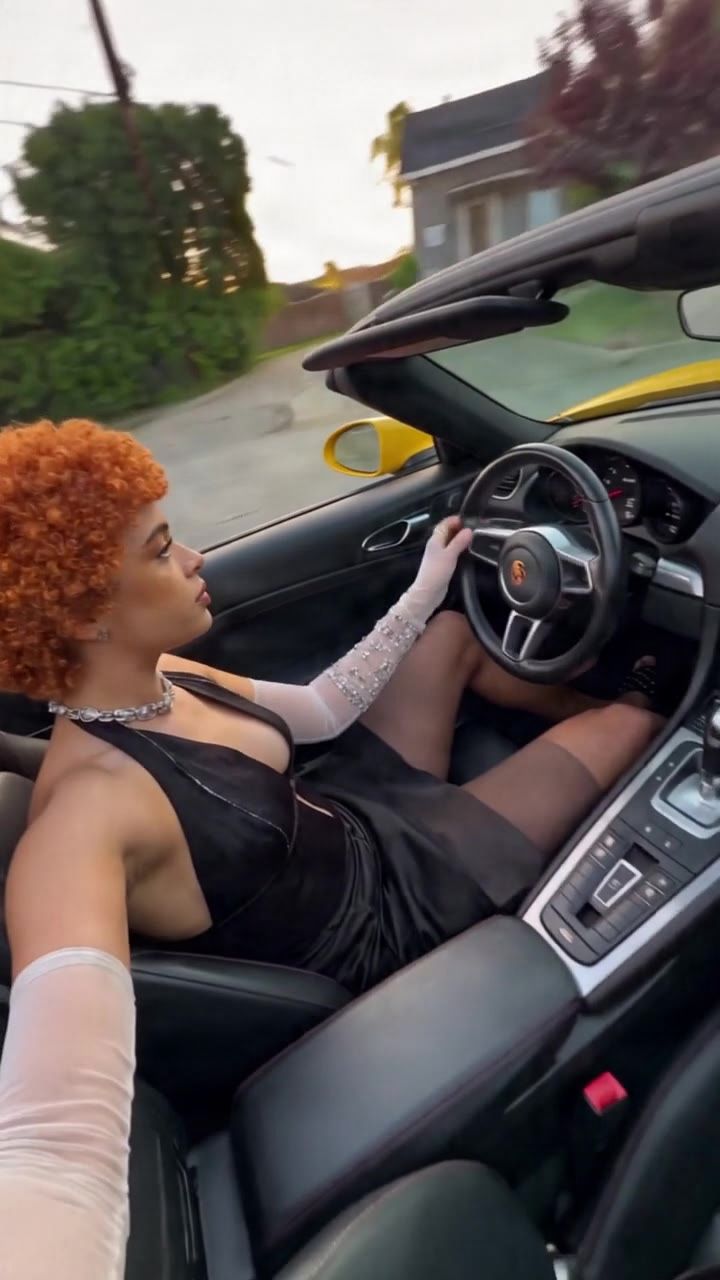
Kling 2.1 Master

textvideo
Aspect ratios: 1:1, 9:16, 16:9 Lengths: 5 sec, 10 sec Price: 564 credits

Strong at

  • Previous generation — proven, predictable and cheap
  • Good for simple, calm motion
  • Fast compared to the new heavy models

Weak at

  • Noticeably weaker physics than the third generation
  • Short clips
  • No multi-shot and no native audio
  • Fine detail falls apart

Don't use it for

  • Don't pick it when the third generation is available
  • Don't use it for a final shot
  • Don't use it for complex motion

Typical tasks

  • Simple animation
  • Fallback under heavy load
  • Cheap test of an idea

Kling 3.0 Pro

photovideo
Aspect ratios: 1:1, 9:16, 16:9 Lengths: 5 sec, 10 sec Price: 226 credits

Strong at

  • Brings your photo to life with the most convincing motion on the market
  • Keeps the face and setting from the frame while setting them in motion
  • Native 4K
  • Understands what in the photo can move and what must stay still
  • Handles several people in the frame without merging them

Weak at

  • Slow — minutes, not seconds
  • Lips don't follow the audio: a talking person needs a different model
  • Expensive for repeated attempts
  • Here, clips are up to 10 seconds

Don't use it for

  • Don't use it for a talking person — that's what lip sync is for
  • Don't use it when the photo has to TURN INTO a different scene — make a new image first
  • Don't use it for a quick test

Typical tasks

  • Bring a photo to life with natural motion
  • Set a product or setting in motion
  • Shot from a photo for a big screen
  • An ad that starts from a finished photo

Kling 3.0 Pro

textvideo
Aspect ratios: 1:1, 9:16, 16:9 Lengths: 5 sec, 10 sec Price: 226 credits

Strong at

  • The only one with NATIVE 4K (3840×2160) at up to 60 frames per second — not enlarged afterwards, but generated that way
  • It tells a story in SEVERAL SHOTS: up to 6 separate shots in one clip, each with its own length, framing and camera, and the model itself keeps the space consistent
  • Several speakers in the scene, each with their own lip sync — and each can speak a different language
  • The most convincing physics: weight, momentum and contact look real, not floating
  • Native generation up to 15 seconds — half as long again as the previous one

Weak at

  • SLOW: five seconds take about two minutes, and a 15-second story with several shots — five minutes and up
  • The sound depends on the mode — not every one has it
  • Expensive, and every repeat attempt is paid for again
  • Long, overloaded descriptions confuse it more than they do the most obedient models
  • With us the clip goes up to 10 seconds, not to the native 15

Don't use it for

  • Don't use it for a run of tests — do those at the standard level and only the final shot here
  • Don't use it when you need a fast result — the minutes add up
  • Don't write a half-page description — cut it into clear sentences

Typical tasks

  • A cinematic shot for the big screen
  • A short story with several shots in one clip
  • A scene with two speakers, each in their own language
  • An ad with real physics for the objects
  • A final shot that has to hold up in 4K

Kling 3.0 Standard

photovideo
Aspect ratios: 1:1, 9:16, 16:9 Lengths: 5 sec, 10 sec Price: 169 credits

Strong at

  • Brings a photo to life with steady movement, at an affordable price
  • It keeps the look of what you give it, without warping
  • Fast enough for a few attempts
  • It inherits the family's physics

Weak at

  • Less detail than the professional level
  • No 4K
  • Small objects flicker more

Don't use it for

  • Don't use it for a final shot going to a client
  • Don't use it for a person talking
  • Don't use it when the detail matters

Typical tasks

  • Quickly bringing a photo to life
  • A test run before the expensive generation
  • A social media clip from a finished photo
  • Lots of movement variations

Kling 3.0 Standard

textvideo
Aspect ratios: 1:1, 9:16, 16:9 Lengths: 5 sec, 10 sec Price: 169 credits

Strong at

  • The same physics and the same movement, at a far more affordable price
  • The best value for money for video at volume
  • It inherits the grasp of camera and space from the professional level
  • Fast enough for many attempts in a row

Weak at

  • No 4K — the resolution stays below the professional level
  • Less detail in the far background and in small objects
  • Several shots in one clip aren't as steady

Don't use it for

  • Don't use it for a shot that will be watched on a big screen
  • Don't use it for a complex story with many shots
  • Don't use it when the detail carries the message

Typical tasks

  • A clip for social media
  • Many versions of one idea
  • A test run before the professional generation
  • Everyday video from a description

Kling Lip-sync

referencevideo
Aspect ratios: 1:1, 9:16, 16:9 Lengths: 5 sec, 10 sec Price: 32 credits

Strong at

  • Sync from a READY sound file onto a reference video
  • It takes a real recording — the voice stays the one you chose
  • The body movement stays natural thanks to the family

Weak at

  • It wants a good source video with a visible face
  • It's behind the specialised ones on accuracy
  • Weak when the head moves

Don't use it for

  • Don't use it with a covered face or a face in profile
  • Don't use it when lip accuracy is decisive

Typical tasks

  • Dubbing over a finished clip with a chosen voice
  • A line delivered from a recorded audio

Kling Lip-sync (text)

videovideo
Aspect ratios: 1:1, 9:16, 16:9 Lengths: 5 sec, 10 sec Price: 28 credits

Strong at

  • Lip sync straight from TEXT — the voice is created from it, with no separate recording
  • It saves you a whole step of the work
  • Part of the family with strong physics — the body movement stays natural

Weak at

  • The voice is synthetic and less controllable than a real recording
  • It falls behind the specialists on lip accuracy
  • It doesn’t let you pick a specific voice

Don't use it for

  • Don’t use it when the voice has to be a particular person
  • Don’t use it when the sync has to be flawless
  • Don’t use it for a long monologue

Typical tasks

  • A quick talking person from written text
  • Testing a line before you record it

Kling 3.0 Pro Motion control

videovideo
Aspect ratios: 1:1, 9:16, 16:9 Lengths: 5 sec, 10 sec Price: 338 credits

Strong at

  • Output up to 4 megapixels — around 2048×2048, ready for most printing needs
  • It takes up to 10 reference photos and merges them into one new shot
  • Strongest at MATERIAL: skin, fabric, hair, hands and light come out convincingly
  • Underneath sits a big language-and-vision model — it understands the world, not just the words, and that's why it catches how objects relate
  • The typography now works: a complex piece of text comes out right first time in about six attempts out of ten

Weak at

  • Four complex pieces of text out of ten need a second attempt — below the accuracy of the ones specialised in text
  • Pricier and slower than the fast versions in the family
  • More neutral in style — it doesn't carry a character of its own the way the artistic models do
  • Long descriptions weigh on it more than on the most obedient ones

Don't use it for

  • Don't use it when the text has to be right first time — there are more accurate ones for that
  • Don't use it for ten tests in a row — do those at the fast level
  • Don't expect an artistic signature of its own from it

Typical tasks

  • A product photo where the material has to look real
  • A portrait with real skin and hair
  • A composition from several reference photos
  • An image for print of up to 4 megapixels
  • An ad with text, where there's time for a second attempt

Kling 2.6 Motion control

videovideo
Aspect ratios: 1:1, 9:16, 16:9 Lengths: 5 sec, 10 sec Price: 141 credits

Strong at

  • Built for SPEED: it pulls out a shot in 1 to 4 passes, often under a second — up to ten times faster than the ordinary ones
  • 12 billion parameters — a serious model, not a toy
  • A free licence: the result is yours, commercial use included
  • Cheap for many attempts at once

Weak at

  • Its quality is behind the family's professional levels
  • Text inside the picture doesn't work out for it
  • Small detail gets lost — the speed is paid for in precision
  • Weak with a complex scene that has many conditions

Don't use it for

  • Don't use it for a final shot going to a client
  • Don't use it for text inside the picture
  • Don't use it for a complex composition with many elements

Typical tasks

  • Lots of quick tests of an idea
  • Searching for a composition
  • A small illustration for the web
  • A draft before the heavy generation

Kling 3.0 Motion control

videovideo
Aspect ratios: 1:1, 9:16, 16:9 Lengths: 5 sec, 10 sec Price: 254 credits

Strong at

  • Edits at up to 4 megapixels — the size stays fit for print
  • Takes up to 10 reference photos and blends them into the edit
  • Strongest with MATERIAL: swapping fabric, leather or a surface comes out convincing
  • It keeps the light of the original while it changes the content

Weak at

  • Typography in editing is below the specialists — a complex caption takes a few tries
  • Slower than the fast ones
  • With a heavy change the face can drift

Don't use it for

  • Do not use it to swap a long caption
  • Do not use it for a quick run of test shots
  • Do not ask it for an artistic signature of its own

Typical tasks

  • Swap the material or surface in a product photo
  • An edit for print at up to 4 megapixels
  • Blend several references into one frame
  • Change the background while keeping the light

Kling O3 4K

photovideo
Aspect ratios: 1:1, 9:16, 16:9 Lengths: 5 sec, 10 sec Price: 846 credits

Strong at

  • Brings a photo to life in 4K with the newer engine
  • Cleaner edges and less flicker than the previous generation
  • It keeps the look of the photo you give it
  • Steady on a long, slow shot

Weak at

  • Expensive and slow
  • It wants a good input
  • No lip sync

Don't use it for

  • Don't use it for a test run
  • Don't feed it a weak photo
  • Don't use it for a person talking

Typical tasks

  • A final clip from a photo for the big screen
  • A product shot at the highest quality

Kling O3 4K

textvideo
Aspect ratios: 1:1, 9:16, 16:9 Lengths: 5 sec, 10 sec Price: 846 credits

Strong at

  • 4K from a description with the newer engine — a cleaner result at the same resolution
  • Strong when the camera moves through the scene
  • Less flicker along the edges than the previous 4K version
  • It sticks well to the description

Weak at

  • Expensive and slow
  • Repeat attempts are paid for again
  • It brings no advantage on a static shot — there you're overpaying

Don't use it for

  • Don't use it for a run of tests
  • Don't use it for a calm, motionless shot
  • Don't use it when the clip is only for a phone

Typical tasks

  • A final shot for the big screen
  • A shot with camera movement
  • An ad at the highest quality

Kling O3 Edit Pro

videovideo
Aspect ratios: 1:1, 9:16, 16:9 Lengths: 5 sec, 10 sec Price: 282 credits

Strong at

  • The newest editing tier in the family — more precise and cleaner
  • It keeps the face and the movement through the change
  • Less flicker along the edges of what was changed
  • It understands what in the shot can be touched and what can’t

Weak at

  • Expensive for small fixes
  • Slow
  • It wants a precise description

Don't use it for

  • Don’t use it for a rough, quick change
  • Don’t use it for a test — do that on a cheaper tier

Typical tasks

  • A precise edit on a finished clip
  • Swapping an object while the face stays put

Kling O3 Reference (Pro)

videovideo
Aspect ratios: 1:1, 9:16, 16:9 Lengths: 5 sec, 10 sec Price: 338 credits

Strong at

  • It reworks video from a REFERENCE — you show it how the result should look
  • A high level of adherence to the reference
  • It keeps the movement of the original

Weak at

  • It depends heavily on the quality of the reference
  • Expensive
  • Slow

Don't use it for

  • Don’t feed it a blurry reference
  • Don’t use it for a test

Typical tasks

  • Change the look of the character from a reference
  • Transfer a style from a photo onto filmed video

Kling O3 Reference (Standard)

videovideo
Aspect ratios: 1:1, 9:16, 16:9 Lengths: 5 sec, 10 sec Price: 254 credits

Strong at

  • Reference-based rework at an affordable price
  • It keeps the movement of the original
  • It shows you for half the price whether the reference takes
  • It keeps the movement of the original just like the pro tier

Weak at

  • Weaker adherence than the pro tier
  • A rougher result
  • Lower detail in the face and in small objects

Don't use it for

  • Don’t use it for a final result for a client
  • Don’t feed it a weak reference

Typical tasks

  • A test of a reference-based rework
  • Checking a reference before the pro rework
  • A social media clip from a reference

Kling V3 4K

photovideo
Aspect ratios: 1:1, 9:16, 16:9 Lengths: 5 sec, 10 sec Price: 846 credits

Strong at

  • Brings a photo to life directly in 4K
  • Keeps the face and setting from the frame during motion
  • The highest quality for the photo → video route
  • Stable with slow, cinematic motion

Weak at

  • Expensive and slow
  • Needs a high-quality photo — weak input means weak output
  • No lip sync

Don't use it for

  • Don't use it for testing — start on a cheaper tier
  • Don't feed it a small or blurry photo
  • Don't use it for a talking person

Typical tasks

  • Final clip from a photo in the highest quality
  • Product shot for a big screen
  • Archive or studio photo brought to life

Kling V3 4K

textvideo
Aspect ratios: 1:1, 9:16, 16:9 Lengths: 5 sec, 10 sec Price: 846 credits

Strong at

  • Native 4K from a prompt — for big screens and ads that will be shown large
  • Convincing physics and weight of movement
  • Longer shots than most in the family
  • The camera moves through the scene without the space falling apart

Weak at

  • Expensive and slow because of the resolution
  • Every retry costs as much as the first attempt
  • An overloaded prompt gets in its way

Don't use it for

  • Don't use it for tests — run them on a cheaper tier and only then come here
  • Don't use it when the clip is meant for a phone
  • Don't write a half-page prompt

Typical tasks

  • Shot for a big screen
  • Final ad in the highest quality
  • Cinematic shot with camera movement
  • Footage for screening or TV

Kling O3 4K

referencevideo
Aspect ratios: 1:1, 9:16, 16:9 Lengths: 3 sec, 4 sec, 5 sec, 6 sec, 7 sec, 8 sec, 9 sec, 10 sec, 11 sec, 12 sec, 13 sec, 14 sec, 15 sec Price: 846 credits

Strong at

  • Видео в 4K по до 7 снимки на героите, продукта или стила
  • Пази лицата, дрехите и продукта от снимките през целия клип
  • Референциите се назовават в описанието (@Image1, @Image2) и моделът знае коя за какво е
  • „По сцени“: до 6 сцени с отделно описание и секунди
  • Видео от 3 до 15 секунди
  • Звук към клипа по желание, на същата цена

Weak at

  • Не приема видео и аудио референции
  • Не говори български
  • Резолюцията е само 4K, затова е от по-скъпите
  • Не приема отрицателен промпт

Don't use it for

  • Не го ползвай без нито една снимка: нужна е поне една референция
  • Не го ползвай за проби: всяка секунда е в 4K
  • Не го ползвай, ако искаш движението от примерен клип: видео референция няма

Typical tasks

  • Рекламен клип в 4K с продукта и героя от снимките
  • Клип с няколко героя от отделни снимки
  • История в няколко сцени със същите герои
  • Видео за голям екран или телевизор

Frequently asked questions about Kling

How much does one generation with Kling cost?

You pay with credits and the price depends on the model: Kling 2.1 — 113 credits; Kling 2.1 Master — 564 credits; Kling 3.0 Pro — 226 credits; Kling 3.0 Pro — 226 credits; Kling 3.0 Standard — 169 credits; Kling 3.0 Standard — 169 credits; Kling Lip-sync — 32 credits; Kling Lip-sync (text) — 28 credits; Kling 3.0 Pro Motion control — 338 credits; Kling 2.6 Motion control — 141 credits; Kling 3.0 Motion control — 254 credits; Kling O3 4K — 846 credits; Kling O3 4K — 846 credits; Kling O3 Edit Pro — 282 credits; Kling O3 Reference (Pro) — 338 credits; Kling O3 Reference (Standard) — 254 credits; Kling V3 4K — 846 credits; Kling V3 4K — 846 credits; Kling O3 4K — 846 credits. The exact price is shown before you start the generation.

What are the limitations of Kling?

Here is what each model supports: Kling 2.1 — aspect ratios 1:1, 9:16, 16:9, lengths 5 sec, 10 sec; Kling 2.1 Master — aspect ratios 1:1, 9:16, 16:9, lengths 5 sec, 10 sec; Kling 3.0 Pro — aspect ratios 1:1, 9:16, 16:9, lengths 5 sec, 10 sec; Kling 3.0 Pro — aspect ratios 1:1, 9:16, 16:9, lengths 5 sec, 10 sec; Kling 3.0 Standard — aspect ratios 1:1, 9:16, 16:9, lengths 5 sec, 10 sec; Kling 3.0 Standard — aspect ratios 1:1, 9:16, 16:9, lengths 5 sec, 10 sec; Kling Lip-sync — aspect ratios 1:1, 9:16, 16:9, lengths 5 sec, 10 sec; Kling Lip-sync (text) — aspect ratios 1:1, 9:16, 16:9, lengths 5 sec, 10 sec; Kling 3.0 Pro Motion control — aspect ratios 1:1, 9:16, 16:9, lengths 5 sec, 10 sec; Kling 2.6 Motion control — aspect ratios 1:1, 9:16, 16:9, lengths 5 sec, 10 sec; Kling 3.0 Motion control — aspect ratios 1:1, 9:16, 16:9, lengths 5 sec, 10 sec; Kling O3 4K — aspect ratios 1:1, 9:16, 16:9, lengths 5 sec, 10 sec; Kling O3 4K — aspect ratios 1:1, 9:16, 16:9, lengths 5 sec, 10 sec; Kling O3 Edit Pro — aspect ratios 1:1, 9:16, 16:9, lengths 5 sec, 10 sec; Kling O3 Reference (Pro) — aspect ratios 1:1, 9:16, 16:9, lengths 5 sec, 10 sec; Kling O3 Reference (Standard) — aspect ratios 1:1, 9:16, 16:9, lengths 5 sec, 10 sec; Kling V3 4K — aspect ratios 1:1, 9:16, 16:9, lengths 5 sec, 10 sec; Kling V3 4K — aspect ratios 1:1, 9:16, 16:9, lengths 5 sec, 10 sec; Kling O3 4K — aspect ratios 1:1, 9:16, 16:9, lengths 3 sec, 4 sec, 5 sec, 6 sec, 7 sec, 8 sec, 9 sec, 10 sec, 11 sec, 12 sec, 13 sec, 14 sec, 15 sec.

What is Kling best for?

Strengths by model: Kling 2.1 — The entry level for video — the most affordable path from a photo to a moving shot, Calm, stable motion without distortion, Predictable: rarely surprises you with something broken; Kling 2.1 Master — Previous generation — proven, predictable and cheap, Good for simple, calm motion, Fast compared to the new heavy models; Kling 3.0 Pro — Brings your photo to life with the most convincing motion on the market, Keeps the face and setting from the frame while setting them in motion, Native 4K.

Kling vs the other models

All model comparisons

Try Kling now

Generate your own video with Kling right in the browser — no installation, in English.