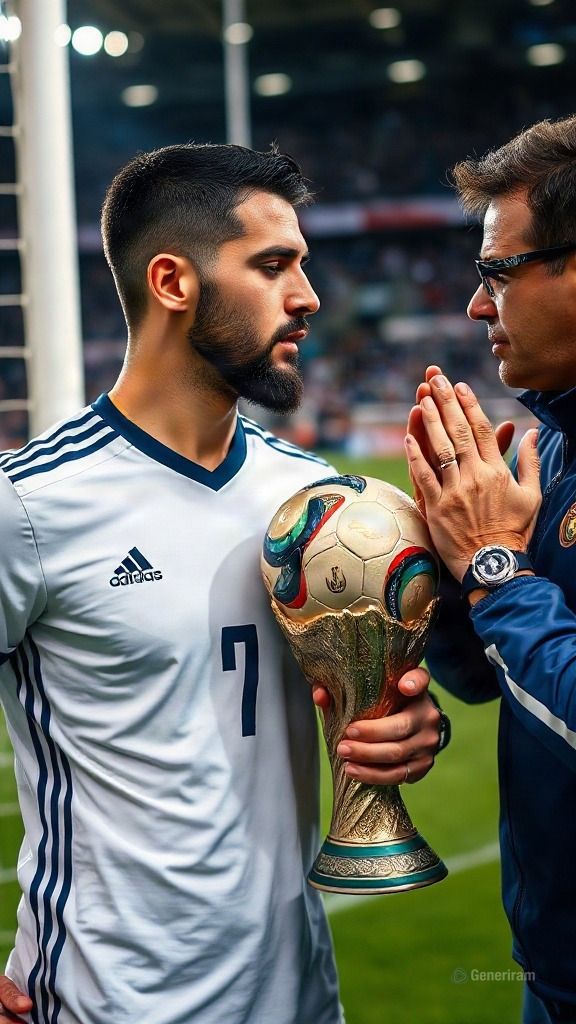
FLUX je rodina moderních modelů pro generování obrázků pomocí umělé inteligence. Z textového popisu (promptu) vytvoří FLUX zcela nové obrázky — od fotorealistických záběrů po ilustrace, concept art a grafický design. Kromě generování od nuly umějí některé varianty FLUX také upravovat již existující obrázek podle zadaných instrukcí.
Za FLUX stojí společnost Black Forest Labs — tým z Německa, který založili výzkumníci, jež dříve stáli za Stable Diffusion a technologií latentních difuzních modelů. Právě tato odbornost dělá z FLUX jeden z nejznámějších a nejuznávanějších projektů v oblasti generativních obrázků.
Modely FLUX používají designéři, marketéři, tvůrci obsahu i nadšenci k rychlé tvorbě vizuálů — reklam, příspěvků na sociální sítě, produktových vizualizací, avatarů, pozadí a mnoha dalšího. Na genkiki.com je můžeš používat přímo v prohlížeči, bez složitého nastavování.
Verze a možnosti v generiram
V generiram je k dispozici několik variant FLUX, které pokrývají jak tvorbu obrázku z textu, tak úpravu fotky. Tady je přehled a co který režim dělá:
Varianta
Režim
Co dělá
FLUX.2
Fotka z textu
Vygeneruje nový obrázek podle textového popisu pomocí modelu novější generace FLUX.
FLUX 2 Pro
Fotka z textu
Pro verze FLUX.2 pro tvorbu obrázků s vysokou detailností a přesným dodržením promptu.
FLUX 2 Pro
Úprava fotky
Mění existující obrázek podle instrukcí — přidání, odebrání nebo změna prvků, aniž by se vše tvořilo od nuly.
FLUX.1 Schnell
Fotka z textu
Rychlá varianta první generace FLUX pro bleskové generování obrázků z textu.
Fotka z textu
Režim „fotka z textu“ (text-to-image) je základní způsob práce s FLUX. Popíšeš, co chceš vidět — scénu, styl, kompozici, náladu — a model obrázek nakreslí za tebe. FLUX.2 a FLUX 2 Pro nabízejí bohatší detaily, zatímco FLUX.1 Schnell (z němčiny „rychlý“) míří na rychlost, když potřebuješ rychlý výsledek nebo mnoho variant za sebou.
Úprava fotky
Režim „úprava fotky“ ti umožní nahrát hotový obrázek a změnit ho textovou instrukcí — například vyměnit pozadí, přidat nebo odebrat objekt nebo opravit nějaký detail. Zachováš tak základ fotky a změníš jen to, co chceš.
Silné stránky
Přesné dodržení promptu. FLUX je známý tím, že následuje popis přesně — včetně počtu objektů, rozmístění a stylu.
Dobrá práce s textem v obrázku. Na rozdíl od mnoha starších modelů si FLUX jistěji poradí s psaním slov a nápisů na obrázku.
Vysoká kvalita a detailnost. Výsledky působí čistě a realisticky, s dobrou anatomií a přirozeným osvětlením.
Univerzálnost stylů. Od fotorealismu po ilustraci, 3D render a minimalismus — jedna rodina modelů pokrývá široké spektrum.
Různé varianty pro různé potřeby. Rychlý režim pro rychlost a režim Pro pro maximální kvalitu.
Pro co se hodí
Reklamy a vizuály pro sociální sítě.
Produktové a reklamní vizualizace.
Ilustrace pro blogy, články a prezentace.
Concept art, moodboardy a nápadové skici.
Avatary, portréty a profilové fotky.
Pozadí, bannery a grafické prvky pro weby.
Úprava existujících fotek — výměna pozadí, přidání nebo odebrání prvků.
Jak začít
Otevři AI Studio na genkiki.com, vyber režim „fotka z textu“ nebo „úprava fotky“ a zvol model z rodiny FLUX. Popiš co nejjasněji, co chceš získat — objekt, styl, náladu a kompozici — a spusť generování. Pro rychlý výsledek zkus FLUX.1 Schnell, pro maximální detailnost FLUX 2 Pro. Vše funguje přímo v prohlížeči, bez instalace.
Modely FLUX — podrobně
Který se na co hodí, kde je slabý a na co se používat nemá.
FLUX.1 Schnell
text→fotka
Poměry stran: 1:1, 9:16, 16:9Cena: 7 kreditů
Silný v
Vytvořen pro RYCHLOST: vydá snímek za 1 až 4 průchody, často za méně než sekundu — až desetkrát rychlejší než běžné modely
12 miliard parametrů — vážný model, žádná hračka
Svobodná licence: výsledek patří tobě, včetně komerčního využití
Levný na mnoho pokusů najednou
Slabý v
Качеството отстъпва на професионалните нива на семейството
Текст в картинката не му се получава
Дребният детайл се губи — скоростта се плаща с прецизност
Слаб при сложна сцена с много условия
Надписите на кирилица излизат с объркани или липсващи букви, не е надежден за текст на български
Nepoužívej ho na
Не го ползвай за краен кадър при клиент
Не го ползвай за надпис в снимката
Не го ползвай за сложна композиция с много елементи
Не го ползвай за надписи на кирилица, например текст на български
Typické úlohy
Velmi rychlé zkoušky nápadu
Hledání kompozice
Malá ilustrace na web
Koncept před náročnou generací
FLUX.2 Pro
fotka→fotka
Poměry stran: 1:1, 9:16, 16:9Cena: 60 kreditů
Silný v
Upravuje až do 4 megapixelů — velikost zůstává vhodná pro tisk
Přijímá až 10 referenčních fotek a slučuje je v úpravě
Nejsilnější u MATERIÁLU: výměna látky, kůže nebo povrchu vypadá přesvědčivě
Zachovává světlo originálu, zatímco mění obsah
Slabý v
Типографията при редакция е под специализираните — сложен надпис иска опити
По-бавен от бързите
При силна промяна лицето може да се измести
Надписите на кирилица излизат с объркани или липсващи букви, не е надежден за текст на български
Nepoužívej ho na
Не го ползвай за смяна на дълъг надпис
Не го ползвай за бърза серия проби
Не искай от него собствен художествен почерк
Не го ползвай за надписи на кирилица, например текст на български
Typické úlohy
Změň materiál nebo povrch na produktové fotce
Úprava pro tisk až do 4 megapixelů
Sluč několik referencí do jednoho záběru
Vyměň pozadí při zachování světla
FLUX.2 Pro
text→fotka
Poměry stran: 1:1, 9:16, 16:9Cena: 60 kreditů
Silný v
Výstup až 4 megapixely — kolem 2048×2048, připravený pro většinu tiskových potřeb
Přijímá až 10 referenčních fotek a slučuje je do jednoho nového záběru
Nejsilnější u TEXTURY: pleť, látka, vlasy, ruce a světlo vycházejí přesvědčivě
Pod kapotou je velký jazykově-vizuální model — rozumí světu, nejen slovům, a proto zachytí vztahy mezi předměty
Typografie už funguje: složitý nápis vyjde na první pokus asi v šesti z deseti případů
Slabý v
Четири от десет сложни надписа искат втори опит — под точността на специализираните за текст
По-скъп и по-бавен от бързите варианти на семейството
Стилово по-неутрален — не носи собствен характер като художествените модели
Дългите описания го натоварват повече от най-послушните
Надписите на кирилица излизат с объркани или липсващи букви, не е надежден за текст на български
Nepoužívej ho na
Не го ползвай, когато надписът трябва да е верен от първия път — там има по-точни
Не го ползвай за десет проби подред — направи ги на бързото ниво
Не очаквай от него собствен художествен почерк
Не го ползвай за надписи на кирилица, например текст на български
Typické úlohy
Produktová fotka, kde musí být materiál opravdový
Portrét se skutečnou pletí a vlasy
Kompozice podle několika referenčních fotek
Obrázek pro tisk až do 4 megapixelů
Reklama s nápisem, kde je čas na druhý pokus
FLUX.2 Dev
text→fotka
Poměry stran: 1:1, 9:16, 16:9Cena: 27 kreditů
Silný v
Stejný motor na dostupné úrovni – materiál a světlo zůstávají silné
Přijímá referenční fotky a slučuje je
Dobrý poměr cena–kvalita pro každodenní práci
Rychlejší než profesionální varianta
Slabý v
По-нисък детайл и по-малка големина от професионалното ниво
Типографията отстъпва — сложен надпис иска повече опити
При сложна сцена подредбата се разминава по-често
Надписите на кирилица излизат с объркани или липсващи букви, не е надежден за текст на български
Nepoužívej ho na
Не го ползвай за краен кадър за печат
Не го ползвай за плакат с точен надпис
Не го ползвай, когато сцената е много сложна
Не го ползвай за надписи на кирилица, например текст на български
Typické úlohy
Každodenní práce s obrázky
Zkouška před profesionální úrovní
Ilustrace pro web s dobrou texturou
Kompozice podle referencí za dostupnou cenu
FLUX.2 Dev
fotka→fotka
Poměry stran: 1:1, 9:16, 16:9Cena: 24 kreditů
Silný v
Редакция по указание с до 4 качени снимки
Следване на промпта: от свободно до дума по дума
Подобряване на промпта по избор
До 4 резултата наведнъж
Код за повторение и изход JPEG, PNG или WEBP
Slabý v
Размерът е до около 1 мегапиксел
Всяка качена снимка се плаща по размера си
Без отрицателен промпт
Nepoužívej ho na
Не качвай повече от 4 снимки
Не го ползвай, когато ти трябва 2K или 4K
Не слагай „Максимално“, ако искаш естествен резултат
Typické úlohy
Смяна на фон или обстановка
Съчетаване на продукт и сцена от няколко снимки
Нов стил върху готова снимка
Добавяне или махане на предмети
Časté dotazy k FLUX
Kolik stojí jedno generování s modelem FLUX?
Platí se kredity a cena závisí na modelu: FLUX.1 Schnell — 7 kreditů; FLUX.2 Pro — 60 kreditů; FLUX.2 Pro — 60 kreditů; FLUX.2 Dev — 27 kreditů; FLUX.2 Dev — 24 kreditů. Přesnou cenu uvidíš, než generování spustíš.
Jaká jsou omezení modelu FLUX?
Tady je, co který model podporuje: FLUX.1 Schnell — poměry stran 1:1, 9:16, 16:9; FLUX.2 Pro — poměry stran 1:1, 9:16, 16:9; FLUX.2 Pro — poměry stran 1:1, 9:16, 16:9; FLUX.2 Dev — poměry stran 1:1, 9:16, 16:9; FLUX.2 Dev — poměry stran 1:1, 9:16, 16:9.
K čemu se FLUX hodí nejvíc?
Silné stránky jednotlivých modelů: FLUX.1 Schnell — Vytvořen pro RYCHLOST: vydá snímek za 1 až 4 průchody, často za méně než sekundu — až desetkrát rychlejší než běžné modely, 12 miliard parametrů — vážný model, žádná hračka, Svobodná licence: výsledek patří tobě, včetně komerčního využití; FLUX.2 Pro — Upravuje až do 4 megapixelů — velikost zůstává vhodná pro tisk, Přijímá až 10 referenčních fotek a slučuje je v úpravě, Nejsilnější u MATERIÁLU: výměna látky, kůže nebo povrchu vypadá přesvědčivě; FLUX.2 Pro — Výstup až 4 megapixely — kolem 2048×2048, připravený pro většinu tiskových potřeb, Přijímá až 10 referenčních fotek a slučuje je do jednoho nového záběru, Nejsilnější u TEXTURY: pleť, látka, vlasy, ruce a světlo vycházejí přesvědčivě.
FLUX proti ostatním modelům
Jeden na jednoho: cena v kreditech, maximální délka, rozlišení — a kde který z nich prohrává.
🖼Přetáhni sem fotku, vlož přes Ctrl/Cmd+V nebo vyber soubor
Díky, že jsi nám pomohl web vylepšit!
🍪Tenhle web používá cookies, aby fungoval správně a zlepšil tvůj zážitek. Podívej se na Zásady používání cookies. Zjistit víc.
🍪
Je potřeba souhlas s cookies 🍪
Abychom ti mohli tuhle službu poskytnout (přihlášení, generace a platby), používáme cookies, které jsou pro chod webu nezbytné. Přijmi je, ať můžeš pokračovat. Zjistit víc.