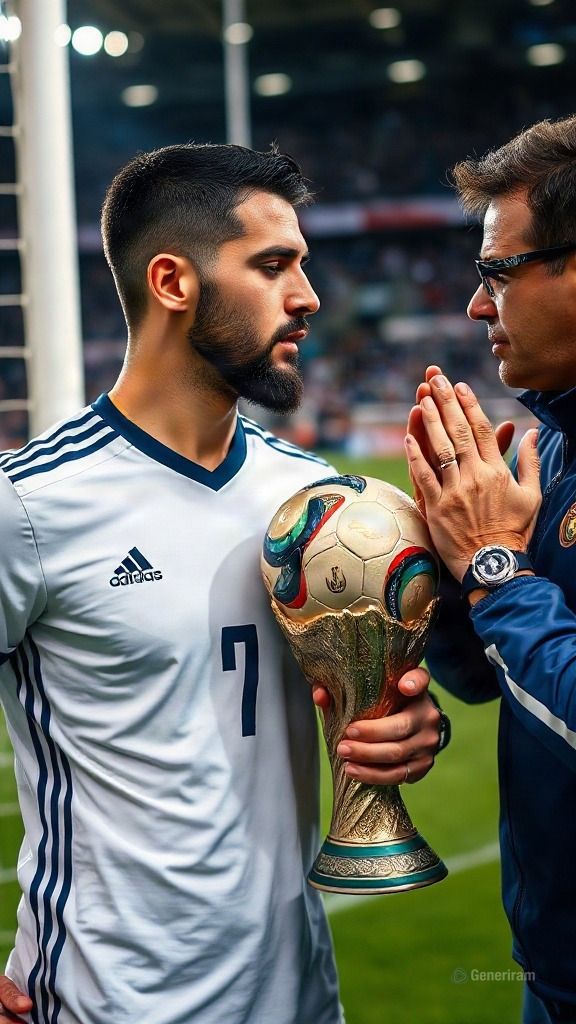
Εικόνες AI με FLUX – μοντέλα, δυνατότητες και παραδείγματα
Τι είναι το FLUX
Το FLUX είναι μια οικογένεια σύγχρονων μοντέλων για τη δημιουργία εικόνων με τεχνητή νοημοσύνη. Με μια περιγραφή κειμένου (prompt), το FLUX δημιουργεί εντελώς νέες εικόνες — από φωτορεαλιστικά κάδρα μέχρι εικονογραφήσεις, concept art και γραφιστικό σχεδιασμό. Εκτός από τη δημιουργία από το μηδέν, ορισμένες παραλλαγές του FLUX μπορούν και να επεξεργάζονται μια υπάρχουσα εικόνα βάσει οδηγιών.
Πίσω από το FLUX βρίσκεται η εταιρεία Black Forest Labs — μια ομάδα από τη Γερμανία, που ιδρύθηκε από ερευνητές οι οποίοι στο παρελθόν βρίσκονταν πίσω από το Stable Diffusion και την τεχνολογία των λανθανουσών μοντέλων διάχυσης. Αυτή ακριβώς η τεχνογνωσία κάνει το FLUX ένα από τα πιο αναγνωρίσιμα και σεβαστά έργα στον χώρο των παραγόμενων εικόνων.
Τα μοντέλα FLUX χρησιμοποιούνται από σχεδιαστές, επαγγελματίες του μάρκετινγκ, δημιουργούς περιεχομένου και χομπίστες για τη γρήγορη δημιουργία οπτικού υλικού — διαφημίσεις, αναρτήσεις για social media, οπτικοποιήσεις προϊόντων, avatars, φόντα και πολλά άλλα. Στο genkiki.com μπορείς να τα χρησιμοποιείς απευθείας στον περιηγητή, χωρίς σύνθετες ρυθμίσεις.
Εκδόσεις και δυνατότητες στο generiram
Στο generiram είναι διαθέσιμες αρκετές παραλλαγές του FLUX, που καλύπτουν τόσο τη δημιουργία εικόνας από κείμενο όσο και την επεξεργασία φωτογραφίας. Δες ποιες είναι και τι κάνει κάθε λειτουργία:
Παραλλαγή
Λειτουργία
Τι κάνει
FLUX.2
Εικόνα από κείμενο
Δημιουργεί νέα εικόνα από περιγραφή κειμένου με μοντέλο της νεότερης γενιάς FLUX.
FLUX 2 Pro
Εικόνα από κείμενο
Η Pro έκδοση του FLUX.2 για εικόνες με υψηλή λεπτομέρεια και ακριβή τήρηση του prompt.
FLUX 2 Pro
Επεξεργασία φωτογραφίας
Αλλάζει μια υπάρχουσα εικόνα βάσει οδηγιών — προσθήκη, αφαίρεση ή αλλαγή στοιχείων, χωρίς να δημιουργείται τα πάντα από το μηδέν.
FLUX.1 Schnell
Εικόνα από κείμενο
Γρήγορη παραλλαγή της πρώτης γενιάς FLUX για αστραπιαία δημιουργία εικόνων από κείμενο.
Εικόνα από κείμενο
Η λειτουργία «εικόνα από κείμενο» (text-to-image) είναι ο βασικός τρόπος εργασίας με το FLUX. Περιγράφεις τι θέλεις να δεις — σκηνή, στυλ, σύνθεση, διάθεση — και το μοντέλο ζωγραφίζει την εικόνα για σένα. Το FLUX.2 και το FLUX 2 Pro δίνουν πιο πλούσια λεπτομέρεια, ενώ το FLUX.1 Schnell (από τα γερμανικά «γρήγορο») στοχεύει στην ταχύτητα, όταν χρειάζεσαι γρήγορο αποτέλεσμα ή πολλές παραλλαγές στη σειρά.
Επεξεργασία φωτογραφίας
Η λειτουργία «επεξεργασία φωτογραφίας» σου επιτρέπει να ανεβάσεις μια έτοιμη εικόνα και να την αλλάξεις με οδηγία κειμένου — για παράδειγμα να αλλάξεις το φόντο, να προσθέσεις ή να αφαιρέσεις ένα αντικείμενο ή να διορθώσεις μια λεπτομέρεια. Έτσι κρατάς τη βάση της φωτογραφίας και αλλάζεις μόνο ό,τι θέλεις.
Δυνατά σημεία
Ακριβής τήρηση του prompt. Το FLUX είναι γνωστό για το ότι ακολουθεί την περιγραφή πιστά — μαζί με τον αριθμό των αντικειμένων, τη διάταξη και το στυλ.
Καλή δουλειά με κείμενο μέσα στην εικόνα. Σε αντίθεση με πολλά παλαιότερα μοντέλα, το FLUX τα καταφέρνει πιο σίγουρα στη γραφή λέξεων και επιγραφών πάνω στην εικόνα.
Υψηλή ποιότητα και λεπτομέρεια. Τα αποτελέσματα φαίνονται καθαρά και ρεαλιστικά, με καλή ανατομία και φυσικό φωτισμό.
Ευελιξία στυλ. Από φωτορεαλισμό μέχρι εικονογράφηση, 3D render και μινιμαλισμό — μία οικογένεια μοντέλων καλύπτει ένα ευρύ φάσμα.
Διαφορετικές παραλλαγές για διαφορετικές ανάγκες. Γρήγορη λειτουργία για ταχύτητα και λειτουργία Pro για μέγιστη ποιότητα.
Για τι ταιριάζει
Διαφημίσεις και οπτικό υλικό για social media.
Οπτικοποιήσεις προϊόντων και διαφημίσεων.
Εικονογραφήσεις για blogs, άρθρα και παρουσιάσεις.
Concept art, moodboards και σκίτσα ιδεών.
Avatars, πορτρέτα και φωτογραφίες προφίλ.
Φόντα, banners και γραφικά στοιχεία για ιστοσελίδες.
Επεξεργασία υπαρχουσών φωτογραφιών — αλλαγή φόντου, προσθήκη ή αφαίρεση στοιχείων.
Πώς να ξεκινήσεις
Άνοιξε το AI Studio του genkiki.com, διάλεξε τη λειτουργία «εικόνα από κείμενο» ή «επεξεργασία φωτογραφίας» και όρισε ένα μοντέλο από την οικογένεια FLUX. Περίγραψε όσο πιο καθαρά γίνεται τι θέλεις να πάρεις — αντικείμενο, στυλ, διάθεση και σύνθεση — και ξεκίνα τη δημιουργία. Για γρήγορο αποτέλεσμα δοκίμασε το FLUX.1 Schnell και για μέγιστη λεπτομέρεια το FLUX 2 Pro. Όλα λειτουργούν απευθείας στον περιηγητή, χωρίς εγκατάσταση.
Τα μοντέλα του FLUX — αναλυτικά
Ποιο για τι κάνει, πού είναι αδύναμο και για τι δεν πρέπει να χρησιμοποιείται.
FLUX.1 Schnell
κείμενο→φωτογραφία
Αναλογίες: 1:1, 9:16, 16:9Τιμή: 7 credits
Δυνατό σε
Φτιαγμένο για ΤΑΧΥΤΗΤΑ: βγάζει καρέ με 1 έως 4 περάσματα, συχνά σε λιγότερο από ένα δευτερόλεπτο — έως δέκα φορές πιο γρήγορο από τα συνηθισμένα
12 δισεκατομμύρια παράμετροι — σοβαρό μοντέλο, όχι παιχνιδάκι
Ελεύθερη άδεια: το αποτέλεσμα είναι δικό σου, ακόμη και για εμπορική χρήση
Φθηνό για πολλές δοκιμές ταυτόχρονα
Αδύναμο σε
Качеството отстъпва на професионалните нива на семейството
Текст в картинката не му се получава
Дребният детайл се губи — скоростта се плаща с прецизност
Слаб при сложна сцена с много условия
Надписите на кирилица излизат с объркани или липсващи букви, не е надежден за текст на български
Μην το χρησιμοποιείς για
Не го ползвай за краен кадър при клиент
Не го ползвай за надпис в снимката
Не го ползвай за сложна композиция с много елементи
Не го ползвай за надписи на кирилица, например текст на български
Τυπικές εργασίες
Πολύ γρήγορες δοκιμές μιας ιδέας
Αναζήτηση σύνθεσης
Μικρή εικονογράφηση για το διαδίκτυο
Προσχέδιο πριν από τη βαριά δημιουργία
FLUX.2 Pro
φωτογραφία→φωτογραφία
Αναλογίες: 1:1, 9:16, 16:9Τιμή: 60 credits
Δυνατό σε
Επεξεργάζεται έως 4 megapixel — το μέγεθος παραμένει κατάλληλο για εκτύπωση
Δέχεται έως 10 φωτογραφίες αναφοράς και τις συγχωνεύει στην επεξεργασία
Πιο δυνατό στην ΥΛΗ: η αλλαγή υφάσματος, δέρματος ή επιφάνειας βγαίνει πειστική
Διατηρεί το φως του πρωτοτύπου ενώ αλλάζει το περιεχόμενο
Αδύναμο σε
Типографията при редакция е под специализираните — сложен надпис иска опити
По-бавен от бързите
При силна промяна лицето може да се измести
Надписите на кирилица излизат с объркани или липсващи букви, не е надежден за текст на български
Μην το χρησιμοποιείς για
Не го ползвай за смяна на дълъг надпис
Не го ползвай за бърза серия проби
Не искай от него собствен художествен почерк
Не го ползвай за надписи на кирилица, например текст на български
Τυπικές εργασίες
Άλλαξε το υλικό ή την επιφάνεια σε φωτογραφία προϊόντος
Επεξεργασία για εκτύπωση έως 4 megapixel
Συγχώνευσε πολλές αναφορές σε ένα κάδρο
Αλλαξε το φόντο διατηρώντας το φως
FLUX.2 Pro
κείμενο→φωτογραφία
Αναλογίες: 1:1, 9:16, 16:9Τιμή: 60 credits
Δυνατό σε
Έξοδος έως 4 megapixel — περίπου 2048×2048, έτοιμη για τις περισσότερες ανάγκες εκτύπωσης
Δέχεται έως 10 φωτογραφίες αναφοράς και τις συγχωνεύει σε ένα νέο καρέ
Πιο δυνατό στην ΥΦΗ: δέρμα, ύφασμα, μαλλιά, χέρια και φως βγαίνουν πειστικά
Στη βάση του βρίσκεται ένα μεγάλο γλωσσικο-οπτικό μοντέλο — καταλαβαίνει τον κόσμο, όχι μόνο τις λέξεις, και γι' αυτό πιάνει τις σχέσεις ανάμεσα στα αντικείμενα
Η τυπογραφία πλέον δουλεύει: ένα σύνθετο κείμενο βγαίνει με την πρώτη περίπου σε έξι στις δέκα προσπάθειες
Αδύναμο σε
Четири от десет сложни надписа искат втори опит — под точността на специализираните за текст
По-скъп и по-бавен от бързите варианти на семейството
Стилово по-неутрален — не носи собствен характер като художествените модели
Дългите описания го натоварват повече от най-послушните
Надписите на кирилица излизат с объркани или липсващи букви, не е надежден за текст на български
Μην το χρησιμοποιείς για
Не го ползвай, когато надписът трябва да е верен от първия път — там има по-точни
Не го ползвай за десет проби подред — направи ги на бързото ниво
Не очаквай от него собствен художествен почерк
Не го ползвай за надписи на кирилица, например текст на български
Τυπικές εργασίες
Φωτογραφία προϊόντος όπου το υλικό πρέπει να είναι αληθινό
Πορτρέτο με αληθινό δέρμα και μαλλιά
Σύνθεση με βάση πολλές φωτογραφίες αναφοράς
Εικόνα για εκτύπωση έως 4 megapixel
Διαφήμιση με επιγραφή, όπου υπάρχει χρόνος για δεύτερη προσπάθεια
FLUX.2 Dev
κείμενο→φωτογραφία
Αναλογίες: 1:1, 9:16, 16:9Τιμή: 27 credits
Δυνατό σε
Ο ίδιος κινητήρας σε προσιτό επίπεδο – η υφή και το φως παραμένουν δυνατά
Δέχεται φωτογραφίες αναφοράς και τις συγχωνεύει
Καλή σχέση τιμής–ποιότητας για καθημερινή δουλειά
Πιο γρήγορο από την επαγγελματική έκδοση
Αδύναμο σε
По-нисък детайл и по-малка големина от професионалното ниво
Типографията отстъпва — сложен надпис иска повече опити
При сложна сцена подредбата се разминава по-често
Надписите на кирилица излизат с объркани или липсващи букви, не е надежден за текст на български
Μην το χρησιμοποιείς για
Не го ползвай за краен кадър за печат
Не го ползвай за плакат с точен надпис
Не го ползвай, когато сцената е много сложна
Не го ползвай за надписи на кирилица, например текст на български
Τυπικές εργασίες
Καθημερινή δουλειά με εικόνες
Δοκιμή πριν από το επαγγελματικό επίπεδο
Εικονογράφηση για το διαδίκτυο με καλή υφή
Σύνθεση βάσει αναφορών σε προσιτή τιμή
FLUX.2 Dev
φωτογραφία→φωτογραφία
Αναλογίες: 1:1, 9:16, 16:9Τιμή: 24 credits
Δυνατό σε
Редакция по указание с до 4 качени снимки
Следване на промпта: от свободно до дума по дума
Подобряване на промпта по избор
До 4 резултата наведнъж
Код за повторение и изход JPEG, PNG или WEBP
Αδύναμο σε
Размерът е до около 1 мегапиксел
Всяка качена снимка се плаща по размера си
Без отрицателен промпт
Μην το χρησιμοποιείς για
Не качвай повече от 4 снимки
Не го ползвай, когато ти трябва 2K или 4K
Не слагай „Максимално“, ако искаш естествен резултат
Τυπικές εργασίες
Смяна на фон или обстановка
Съчетаване на продукт и сцена от няколко снимки
Нов стил върху готова снимка
Добавяне или махане на предмети
Συχνές ερωτήσεις για το FLUX
Πόσο κοστίζει μία δημιουργία με το FLUX;
Πληρώνεται με πιστώσεις και η τιμή εξαρτάται από το μοντέλο: FLUX.1 Schnell — 7 πιστώσεις; FLUX.2 Pro — 60 πιστώσεις; FLUX.2 Pro — 60 πιστώσεις; FLUX.2 Dev — 27 πιστώσεις; FLUX.2 Dev — 24 πιστώσεις. Η ακριβής τιμή εμφανίζεται πριν ξεκινήσεις τη δημιουργία.
Ποιοι είναι οι περιορισμοί του FLUX;
Να τι υποστηρίζει κάθε μοντέλο: FLUX.1 Schnell — αναλογίες 1:1, 9:16, 16:9; FLUX.2 Pro — αναλογίες 1:1, 9:16, 16:9; FLUX.2 Pro — αναλογίες 1:1, 9:16, 16:9; FLUX.2 Dev — αναλογίες 1:1, 9:16, 16:9; FLUX.2 Dev — αναλογίες 1:1, 9:16, 16:9.
Για τι είναι πιο κατάλληλο το FLUX;
Τα δυνατά σημεία ανά μοντέλο: FLUX.1 Schnell — Φτιαγμένο για ΤΑΧΥΤΗΤΑ: βγάζει καρέ με 1 έως 4 περάσματα, συχνά σε λιγότερο από ένα δευτερόλεπτο — έως δέκα φορές πιο γρήγορο από τα συνηθισμένα, 12 δισεκατομμύρια παράμετροι — σοβαρό μοντέλο, όχι παιχνιδάκι, Ελεύθερη άδεια: το αποτέλεσμα είναι δικό σου, ακόμη και για εμπορική χρήση; FLUX.2 Pro — Επεξεργάζεται έως 4 megapixel — το μέγεθος παραμένει κατάλληλο για εκτύπωση, Δέχεται έως 10 φωτογραφίες αναφοράς και τις συγχωνεύει στην επεξεργασία, Πιο δυνατό στην ΥΛΗ: η αλλαγή υφάσματος, δέρματος ή επιφάνειας βγαίνει πειστική; FLUX.2 Pro — Έξοδος έως 4 megapixel — περίπου 2048×2048, έτοιμη για τις περισσότερες ανάγκες εκτύπωσης, Δέχεται έως 10 φωτογραφίες αναφοράς και τις συγχωνεύει σε ένα νέο καρέ, Πιο δυνατό στην ΥΦΗ: δέρμα, ύφασμα, μαλλιά, χέρια και φως βγαίνουν πειστικά.
FLUX έναντι άλλων μοντέλων
Ένα προς ένα: τιμή σε πιστώσεις, μέγιστη διάρκεια, αναλύσεις — και πού υστερεί το καθένα.
🖼Ρίξε φωτογραφία εδώ, επικόλλησε με Ctrl/Cmd+V ή διάλεξε αρχείο
Ευχαριστούμε που μας βοήθησες να κάνουμε τον ιστότοπο καλύτερο!
🍪Αυτός ο ιστότοπος χρησιμοποιεί cookies, για να λειτουργεί σωστά και να βελτιώσει την εμπειρία σου. Δες την Πολιτική Cookies. Μάθε περισσότερα.
🍪
Χρειάζεται συγκατάθεση για cookies 🍪
Για να σου παρέχουμε αυτή την υπηρεσία (είσοδος, δημιουργίες και πληρωμές), χρησιμοποιούμε cookies που είναι απαραίτητα για τη λειτουργία του ιστότοπου. Αποδέξου τα, για να συνεχίσεις. Μάθε περισσότερα.