
Nincs ilyen nyelv.
Az Ideogram egy generatív modell képek szövegből történő létrehozására, amelyet az Ideogram AI cég fejleszt. Generatív mesterséges intelligenciában jártas kutatók alapították, akik közül néhányan a Google ismert képgenerálási projektjein is dolgoztak. Megjelenése óta a modell az ágazat legismertebb nevei közé került.
Az Ideogramot a legtöbb más modelltől az különbözteti meg, hogy olvasható, helyes szöveget tud írni közvetlenül a képbe. Sokáig ez volt a generatív MI gyenge pontja — a betűk torzan vagy értelmetlenül jelentek meg. Az Ideogram célzottan foglalkozott ezzel a problémával, ezért kedvelik azokhoz a vizuálokhoz, ahol a szavak a kép részei, nem csupán dekoráció.
A modell a fotórealisztikus jelenetekkel, illusztrációkkal, grafikai tervezéssel és tipográfiával is jól megbirkózik. A genkiki.com-n az AI Stúdión keresztül érhető el — teljesen bolgár nyelven és közvetlenül a böngészőben, szoftver telepítése nélkül.
A generiramban az Ideogram a legújabb generációjában — Ideogram V3 — érhető el, két működési módban:
| Mód | Mit csinál |
|---|---|
| Kép szövegből | Teljesen új képet hoz létre kizárólag szöveges leírás (prompt) alapján. |
| Kép szerkesztése | Egy már meglévő képet módosít — kiválasztott részeket cserél vagy egészít ki anélkül, hogy az egész képet újragenerálná. |
Ez a klasszikus „szövegből képet” mód. Szavakkal leírod, mit szeretnél látni — jelenetet, stílust, hangulatot, színeket, szükség esetén pedig konkrét feliratot is —, és az Ideogram V3 felépíti a megfelelő képet. A mód különösen erős, amikor szövegnek is szerepelnie kell a képen: egy plakát címének, egy logón lévő márkanévnek vagy egy csomagoláson lévő feliratnak.
Ebben a módban kész képből indulsz ki, és csak a kiválasztott területet módosítod — például lecserélsz egy tárgyat, hozzáadsz egy elemet vagy kijavítasz egy részletet, miközben a kép többi része érintetlen marad. Kényelmes pontos javításokhoz és már megszeretett látvány variációihoz, anélkül, hogy a nulláról kellene kezdened.
Nyisd meg a genkiki.com AI Stúdióját, és válaszd az Ideogram V3-at. Új vizuálhoz használd a „kép szövegből” módot, és írd le, mit szeretnél — minél világosabb a leírás, annál közelebb lesz az eredmény az elképzelésedhez. Ha már van egy képed, amelyet csak bizonyos helyeken szeretnél módosítani, válaszd a „kép szerkesztése” módot. A teljes folyamat bolgár nyelvű, és a böngészőben zajlik, bármi telepítése nélkül.
Egy az egy ellen: ár kreditben, maximális hossz, felbontások — és hogy melyik hol marad alul.
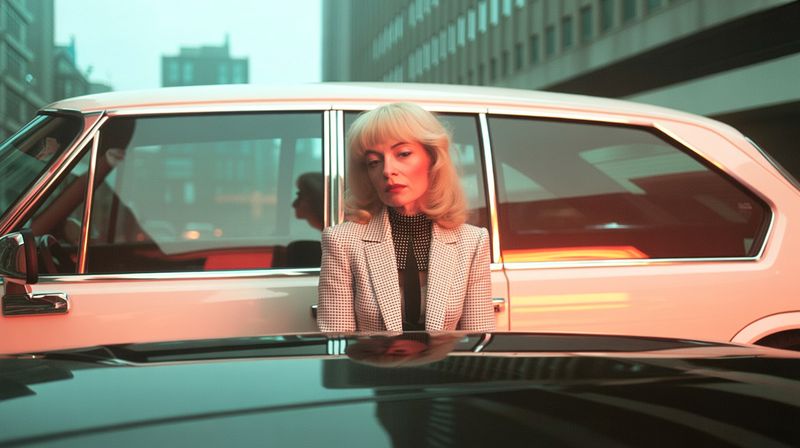
Valódi generálások a genkiki.com közösségétől. Kattints a teljes mérethez.
Свръхреалистична editorial фешън фотография на зашеметяващо красива млада жена с напълно обръсната, гладка глава (без коса) — смела, елегантна и въздействаща визия. Изящни, симетрични черти, изразителни очи, безупречна кожа с реалистична текстура и пори, естествен грим. Уверено, приковаващо изражение. Облечена в елегантна, минималистична развята материя в неутрален тон, движена от вятъра. Заснета с професионална камера (85mm f/1.4), плитка дълбочина на рязкост. Обстановка: пустиня по залез — вълнообразни пясъчни дюни, топла златиста светлина, фини песъчинки, носени от вятъра, дълги меки сенки. Богати топли тонове, филмова цветна корекция, естествена контражурна светлина, обгръщаща силуета. Композиция: жената е ясна и остра в дясната част на кадъра, с място над главата (не отрязана); лявата част е меко разфокусирани дюни и топло небе (bokeh, място за текст). Абсолютно фотореалистично — като истинска наградена фешън снимка, филмово зърно, НЕ дигитална рисунка, НЕ CGI, без пластмасов вид. Хоризонтален формат 16:9, изключителна детайлност, висша мода.
Saját képek Ideogram modellel, egyenesen a böngészőben — telepítés nélkül, magyarul.
